
Widgets available in the dashboard LP_Deny All Web Application Firewall provide:
Widget Name |
Description |
|---|---|
Top 10 Source Address |
Where a packet of data originated on a network so the firewall can determine whether the packet followed firewall rules. |
Top 10 Firewall Rule |
Entails the instructions used by the firewall to handle incoming, forwarding and outgoing traffic. |
Firewall Request Rejection Reason |
The source IP address’s connection request refused for reasons being unknown hostname, path traversal or directory traversal. |
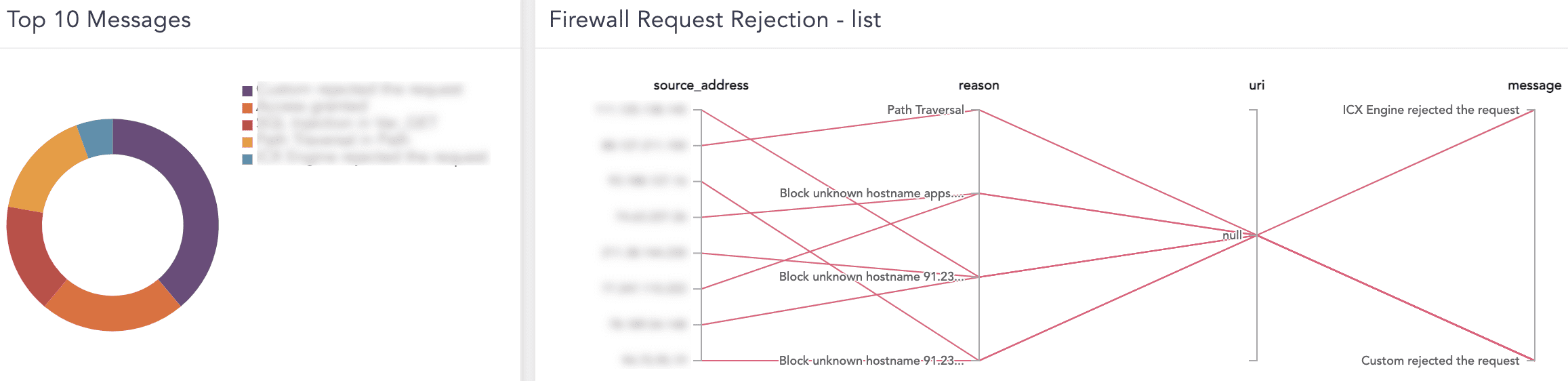
Firewall Request Rejection - list |
Entails all the rejected source addresses with reasons, uniform resource identifier (URI) and messages. |
Top 10 Messages |
The top 10 messages in network traffic inspected and authenticated before they are allowed to move to a more secure environment. |
Top 10 Sources in SQL Injection Attack |
The top ten compromised source IP addresses with an intent of SQL Injection Attack to manipulate backend database for accessing confidential information. |
Top 10 Countries in SQL Injection Attack |
The location of a source IP address with which the SQL Injection Attack originated. |
SQL Injection Details |
Entails sources IP address with SQL Injection, compromised url routes, threat type, country, log timestamp, action and function used for injection. |
Go to Settings >> Knowledge Base from the navigation bar and click Dashboard.
Select VENDOR DASHBOARD from the drop-down.
Click the Use icon from Actions.
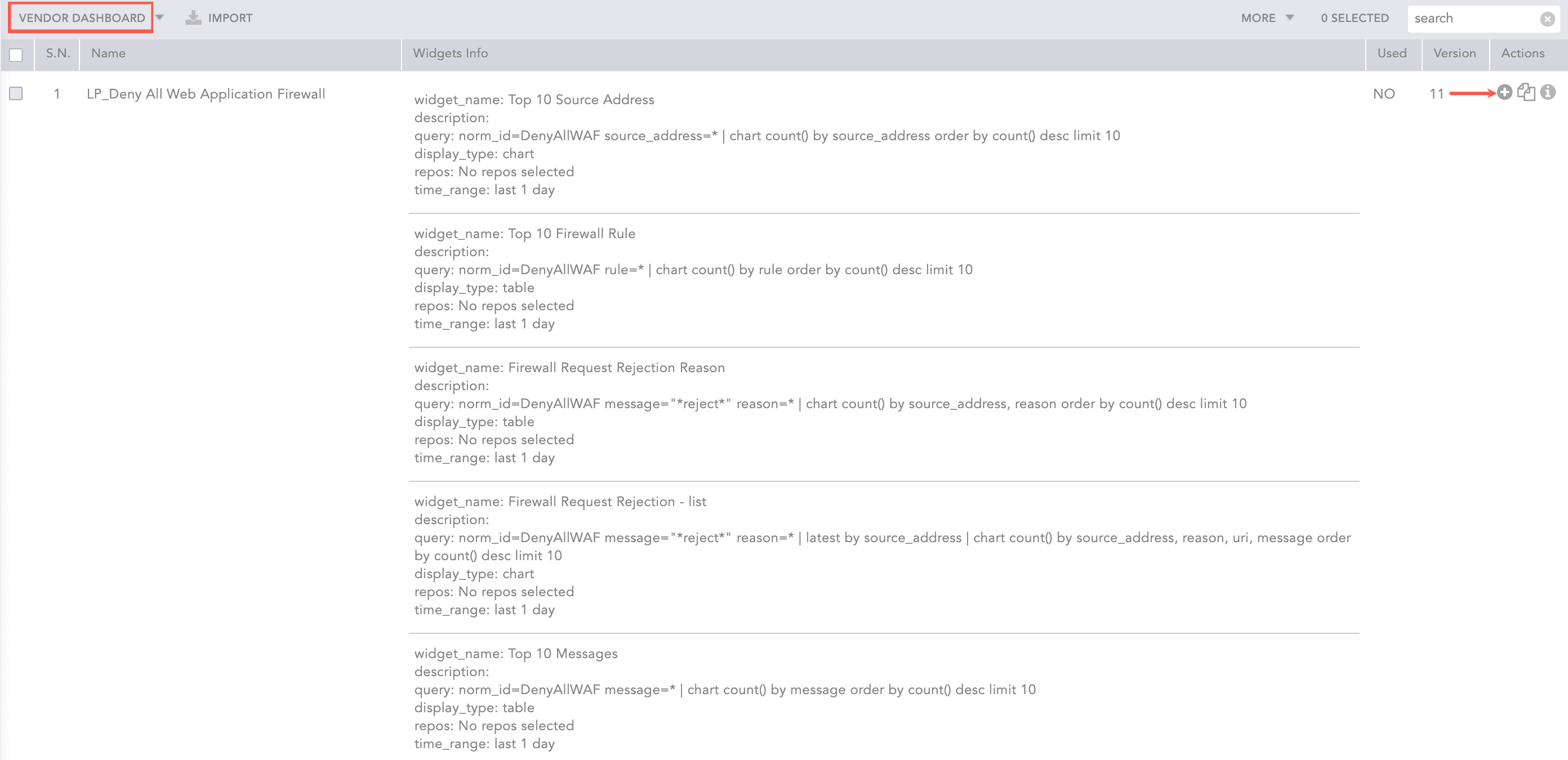
Adding the Deny All WAF Dashboard
Click Choose Repos.
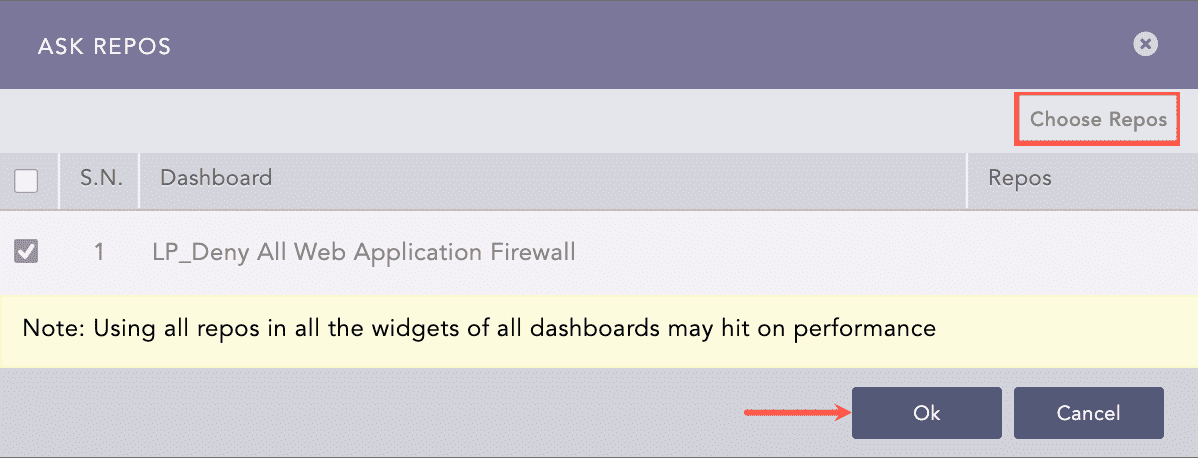
Selecting Repos
Select the repo and click Done.
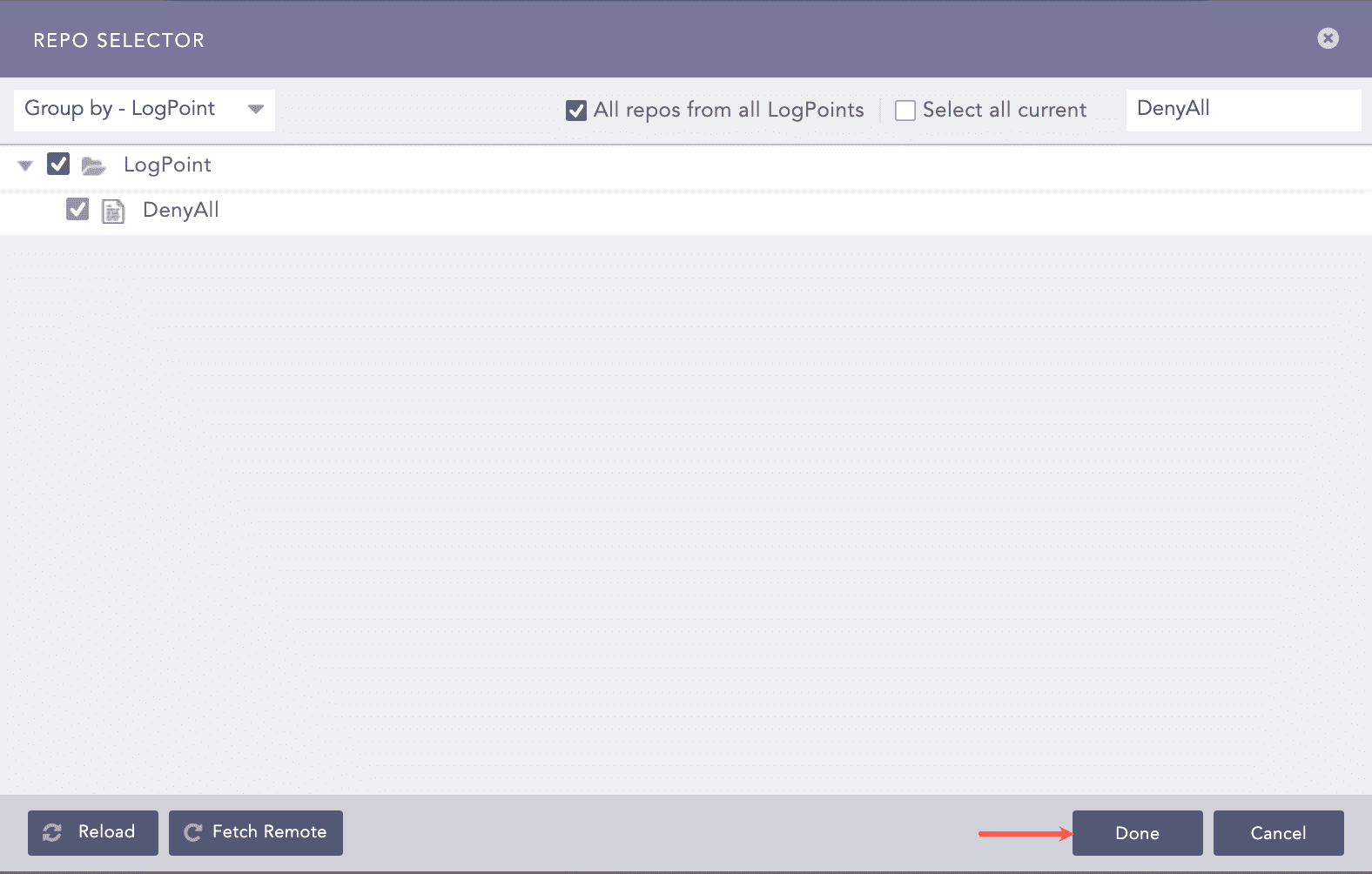
Selecting Repos
Click Ok.
You can find the Deny All WAF dashboard under Dashboards.
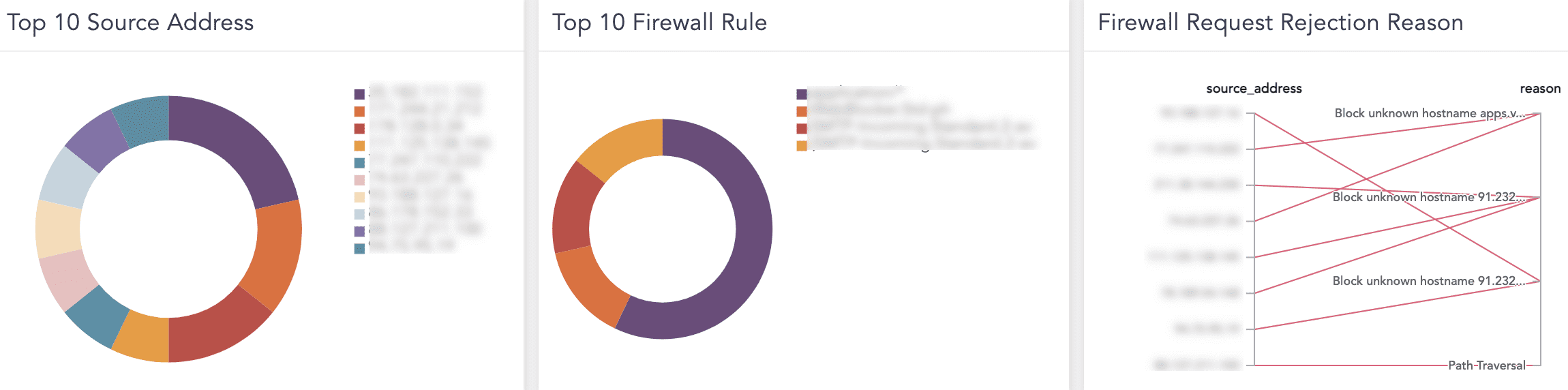
Deny All WAF Dashboard
Deny All WAF Dashboard